
Android have come up with this unique way of providing dynamic notification without the need to unlock your screen. The set up process is made very easy and looks elegant on your device.

Unlocking your Notifications
This app is absolutely free and you may easily download it from the Google Play Store. There is also a paid version available for $0.99, but the free one is mostly preferred as it serves your purpose right.
Once you have successfully installed the app, you will be asked to give it access to notifications.

You will have to trace back to Dynamic Notifications to enable them. The premium features will be grayed out in the free version. After enabling them, set the custom screen time out. If you do not do so, the app will use a default setting for your device.

Click Manage blocked apps and sort those apps that you do not want to see these custom notifications for. For example, you may not want to see a notification from the IMDB app on your screen, but you may want those coming from Facebook or the Gmail app.

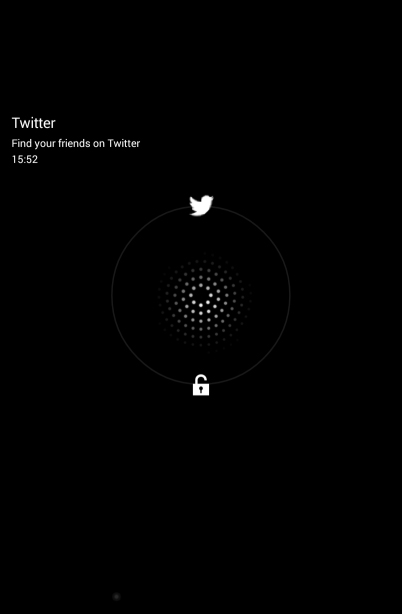
Once you have set your choice, your work will be done. The app will notify you of important events from time to time. But, it does not show notification when the device is in your pocket or is facing down only to avoid accidental unlocks. Your notifications will look like this on your screen:

Upon tapping on a notification, you will be allowed to do one of the two things: either to unlock your screen or take you straight to the app that is sending the notification.
Dynamic Notifications app will make it easy for you to keep in touch with the things you need to deal with everyday with a simple glance over the screen.

Akshay Agarwal
Latest posts by Akshay Agarwal (see all)
- Indian Funky Nightwear Brand for Babies and Kids Online - November 11, 2020
- Children’s Boutique Clothing Manufacturers in India - September 25, 2020
- Kids Celebrity Designer – Aastha Agarwal to showcase her collection at India Kids Fashion Week in Jaipur - September 7, 2019